









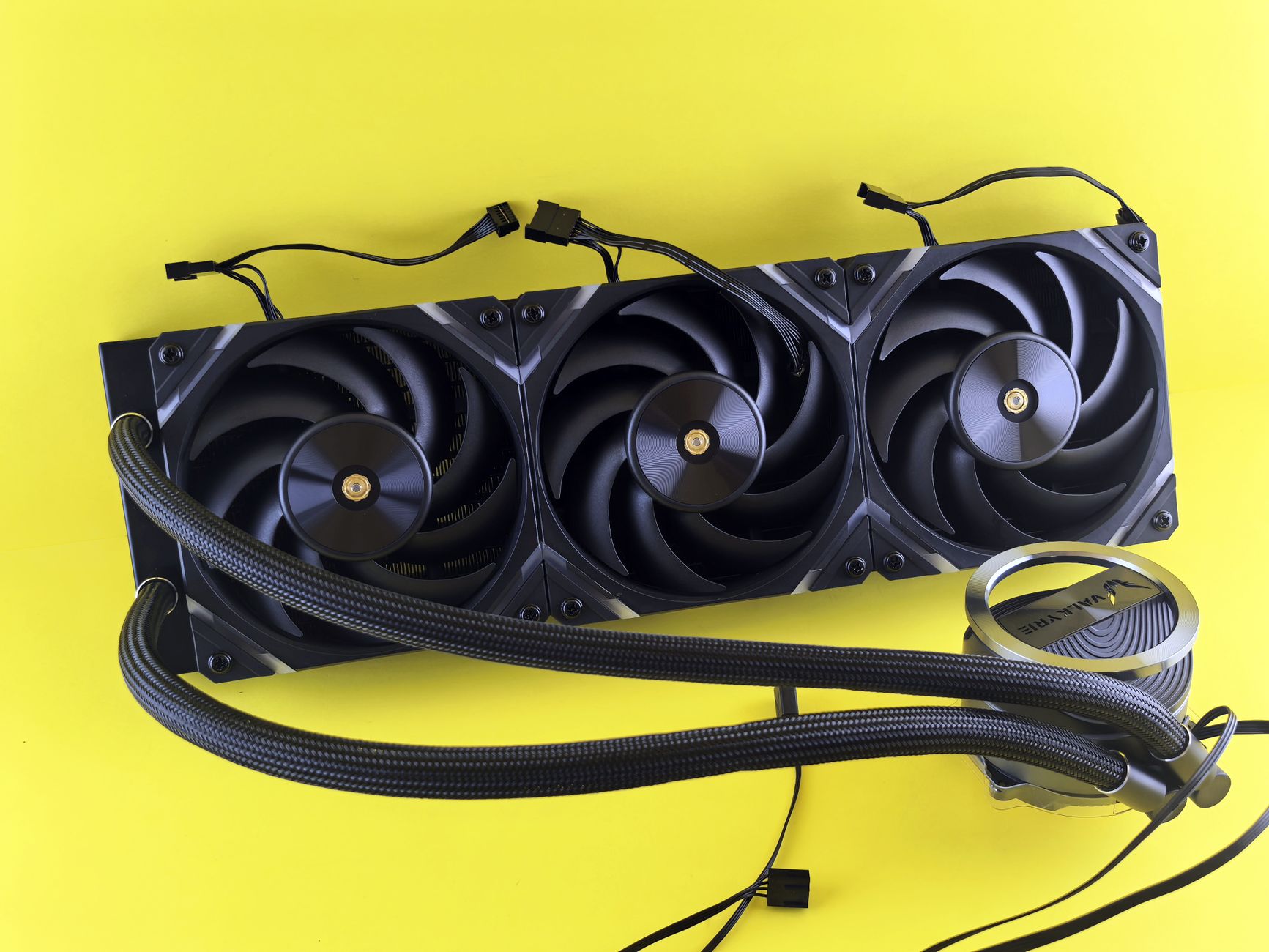
AIO liquid CPU coolers are gaining popularity among tech enthusiasts for their efficiency and performance. Montech’s latest announcement showcases their new line of coolers designed to enhance cooling capabilities in laptops and desktops.
Introduction to AIO Liquid CPU Coolers
AIO liquid CPU coolers have become a popular choice among PC enthusiasts and gamers alike, offering an efficient and aesthetically pleasing solution for keeping processors cool. These coolers, which stand for All-In-One, combine a pump, radiator, and fans into a single unit, making installation straightforward and maintenance minimal.
One of the main advantages of AIO liquid CPU coolers is their ability to dissipate heat more effectively than traditional air coolers. This is particularly beneficial for high-performance CPUs that generate significant amounts of heat during intense gaming or heavy workloads. With AIO solutions, users can achieve lower temperatures and potentially higher overclocking capabilities.
Recent announcements, such as the launch of the Montech CyberFlow AIO liquid CPU coolers, highlight the growing market for these products. The CyberFlow series aims to provide not only cooling efficiency but also customizable RGB lighting options that enhance the visual appeal of a gaming setup.
As more brands enter the AIO liquid CPU coolers market, consumers have a wide range of options to choose from. When considering an AIO cooler, factors such as radiator size, fan noise level, and compatibility with your case and motherboard should be taken into account. With the right choice, enthusiasts can enjoy an optimal balance of performance and aesthetics in their systems.
Benefits of Liquid Cooling
As technology continues to advance, gamers and PC enthusiasts are increasingly turning to AIO liquid CPU coolers for efficient thermal management. These systems offer a range of benefits that make them a popular choice among users looking to optimize their setups.
One of the primary advantages of liquid cooling is its superior heat dissipation capabilities. Unlike traditional air coolers, AIO liquid CPU coolers utilize a liquid coolant that circulates through the system, effectively transferring heat away from the CPU. This results in lower temperatures, which can enhance both performance and longevity of the components.
Another benefit is the quieter operation. AIO coolers typically feature fans that operate at lower speeds compared to air coolers, reducing noise levels during intensive tasks. This is particularly appealing for gamers who prefer a silent environment.
Additionally, the compact design of AIO liquid coolers allows for better airflow within the case, as they take up less space around the CPU socket. This can lead to improved system aesthetics and easier installation in tight spaces.
Finally, many AIO options come with customizable RGB lighting, providing the opportunity for users to personalize their setups. In summary, AIO liquid CPU coolers offer a blend of efficiency, quiet operation, and aesthetic appeal, making them an excellent choice for modern computing needs.
Montech’s CyberFlow Features
Montech’s latest offering, the CyberFlow AIO liquid CPU coolers, comes packed with features designed to enhance performance and aesthetic appeal. These coolers are a testament to Montech’s commitment to innovation in cooling technology.
One of the standout features of the CyberFlow series is its high-efficiency pump, which ensures optimal coolant circulation, maintaining lower temperatures even under heavy loads. This efficiency is crucial for gamers and content creators who demand peak performance from their systems.
The CyberFlow also boasts RGB lighting, allowing users to customize the look of their build. With various lighting modes, users can create a visually stunning setup that matches their personal style. The synchronization with motherboard RGB software further enhances this capability, providing a seamless integration with other components.
Installation is made easy with a universal mounting bracket that supports a wide range of Intel and AMD sockets, ensuring compatibility with most modern CPUs. This user-friendly design allows even novice builders to set up their cooling system without hassle.
In terms of performance, the CyberFlow AIO liquid CPU coolers provide impressive thermal management, making them a top choice for those looking to push their systems to the limit. With these features, Montech has positioned the CyberFlow as a competitive option in the AIO liquid CPU coolers market.
Comparing AIO Coolers
When it comes to selecting the right AIO liquid CPU coolers, several factors must be considered to ensure optimal performance and compatibility with your system. Here are some key points to help you compare different options:
- Cooling Efficiency: AIO liquid CPU coolers are renowned for their superior cooling capabilities compared to traditional air coolers. Look for models with high-quality radiators and efficient pump designs.
- Noise Levels: Noise generated by the pump and fans can significantly affect your overall experience. Choose coolers that offer quiet operation during both idle and load conditions.
- Compatibility: Ensure that the cooler you select is compatible with your CPU socket and case dimensions. This will prevent any installation issues that could arise from size or mounting incompatibility.
- Build Quality: High-quality materials and construction can increase the longevity of your AIO liquid CPU coolers. Consider models with durable tubing and robust pump designs.
- Price to Performance Ratio: Evaluate the cost versus the performance benefits. Sometimes, a higher-priced cooler may not necessarily give you the desired cooling efficiency.
By taking these factors into account, you can make an informed decision when choosing the best AIO liquid CPU coolers for your needs.
Installation Tips for AIO Coolers
Installing AIO liquid CPU coolers can be a straightforward process if you follow the right steps. Here are some essential tips to ensure a smooth installation:
- Read the Manual: Always start by reading the manufacturer’s manual that comes with your AIO cooler. It contains specific instructions and diagrams that are crucial for your specific model.
- Prepare Your Workspace: Make sure you have a clean, well-lit workspace with all the tools you need, such as a screwdriver, thermal paste, and zip ties for cable management.
- Install the Pump: Apply a small amount of thermal paste on the CPU and carefully attach the pump head from your AIO cooler, ensuring even pressure for optimal contact.
- Mount the Radiator: Choose a suitable location for the radiator, typically at the top or front of the case, and secure it with screws. Ensure that the fans are oriented correctly for proper airflow.
- Connect the Fans: Connect the radiator fans to the motherboard or a fan controller to manage their speed and performance effectively.
- Check Compatibility: Before purchasing any AIO liquid CPU cooler, verify its compatibility with your CPU socket and case size to avoid any installation challenges.
Following these tips can help you maximize the performance of your AIO liquid CPU cooler and ensure a successful installation.
Photo by Andrey Matveev on Pexels