





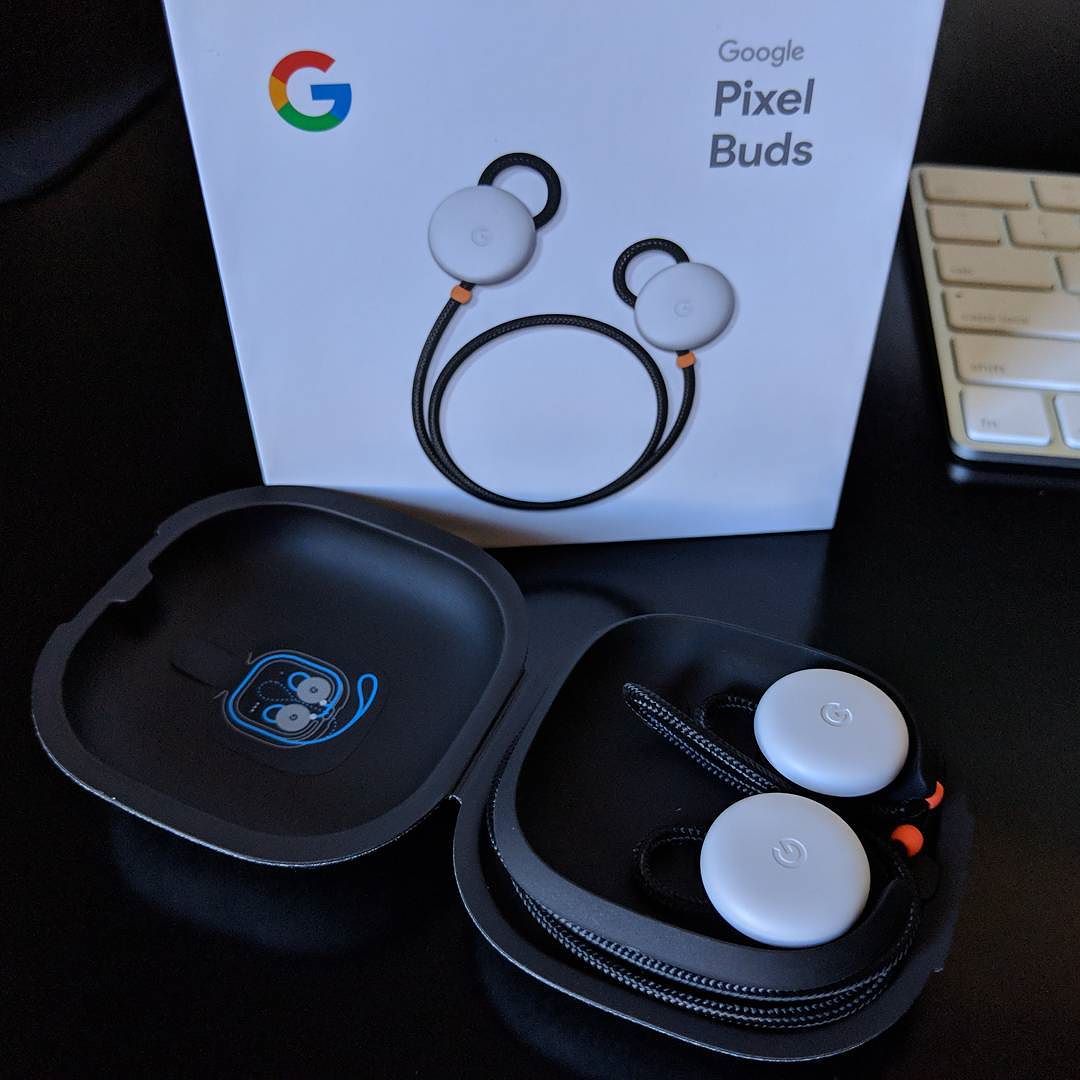
Pixel Buds voice controls have received a significant update that enhances user interaction. This new feature aims to make voice commands more efficient and intuitive for users.
What are Pixel Buds?
Pixel Buds are a series of wireless earbuds developed by Google, designed to deliver high-quality audio and seamless integration with various devices. These earbuds come equipped with advanced features that enhance the listening experience, making them a popular choice among tech enthusiasts and casual users alike.
One of the defining characteristics of Pixel Buds is their ability to connect effortlessly with Android devices, allowing users to access music, calls, and other functions with ease. The recent update introducing Pixel Buds voice controls has further elevated their functionality, enabling users to interact with their earbuds using just their voice.
Key features of Pixel Buds include:
- Adaptive Sound: Automatically adjusts the volume based on the surrounding environment.
- Touch Controls: Simple gestures allow users to play, pause, or skip tracks without needing to reach for their device.
- Active Noise Cancellation: Reduces background noise for an immersive listening experience.
- Real-time Translation: Translates conversations in real-time, making communication easier across languages.
With the latest updates, including enhanced voice controls, Pixel Buds continue to set a high standard in the wireless earbuds market.
Overview of the Gemini Voice Controls
The latest update to the Pixel Buds introduces the innovative Gemini voice controls, enhancing user interaction and convenience. These voice controls enable users to manage their audio experience with ease, allowing for hands-free operation that seamlessly integrates into daily life.
The Gemini voice controls offer several key features that enhance functionality:
- Voice Activation: Users can activate the voice assistant simply by saying “Hey Google,” making it easier to control music playback, answer calls, and access information without needing to reach for their devices.
- Custom Commands: The update allows for personalized voice commands, enabling users to create shortcuts for frequently used features, enhancing the overall experience with the Pixel Buds.
- Context Awareness: The Gemini system is designed to understand context, enabling more natural interactions. For example, users can ask for directions or weather updates while on the go.
- Multi-Device Pairing: The new voice controls can manage connections across multiple devices, simplifying the transition between devices without interrupting the listening experience.
With these enhancements, the Pixel Buds voice controls are set to significantly improve user satisfaction and engagement.
How to Use the New Features
To take advantage of the new features provided by the update, users can easily activate the Pixel Buds voice controls with a simple voice command. Here’s how to get started:
- Update Your Device: Ensure your Pixel Buds are updated to the latest firmware. This can be done through the companion app available on both Android and iOS.
- Activate Voice Assistant: To initiate voice controls, say “Hey Google” followed by your request. This feature allows you to manage music playback, adjust volume, and get information hands-free.
- Customize Commands: Users can personalize voice commands through the app settings. This flexibility enables you to set up shortcuts for frequently used functions.
- Explore Additional Features: The updated voice controls offer various functionalities such as checking notifications and asking for directions, enhancing the overall user experience.
By utilizing the Pixel Buds voice controls effectively, you can enjoy an enhanced listening experience without needing to reach for your device. This update reflects the ongoing commitment to improving user convenience and accessibility.
User Feedback on the Update
Since the rollout of the new update featuring Gemini voice controls for Pixel Buds, user feedback has been overwhelmingly positive. Many users have expressed their appreciation for the enhanced functionality that the voice controls provide. The ability to access commands hands-free has made it easier for users to interact with their devices while on the go.
Some of the key points highlighted by users include:
- Improved Responsiveness: Users have noted that the voice recognition is faster and more accurate, allowing for seamless interaction.
- Easier Access to Features: Many commented on how the voice controls simplify tasks such as adjusting volume, skipping tracks, or making calls.
- Customization Options: The update allows users to customize their voice commands, making the experience more personalized.
However, some users have pointed out minor issues, such as occasional misinterpretation of commands in noisy environments. Despite this, the general consensus is that the Pixel Buds voice controls have significantly enhanced the usability of the earbuds. As more users adapt to the new features, feedback continues to pour in, and it seems that this update has truly elevated the overall user experience.
Comparison with Previous Versions
The latest update to the Pixel Buds introduces improved voice controls, marking a significant enhancement compared to previous versions. In earlier iterations, users experienced limitations with voice command responsiveness and functionality. The new Gemini Voice Controls now allow for a more intuitive interaction, enabling users to execute commands hands-free.
Specifically, the Pixel Buds voice controls have been refined to recognize a broader range of phrases and respond more accurately to user requests. This is a notable shift from the previous systems, which often required precise wording and could misinterpret commands, leading to frustration among users.
Additionally, the integration of machine learning has improved the devices’ ability to adapt to individual user voices, making the experience more personalized. Users can now seamlessly switch between different functions, such as adjusting volume or changing tracks, with simple voice prompts.
Another key difference is the reduction in lag when issuing commands. Earlier versions often suffered from delays that disrupted the listening experience, but the latest updates have minimized this issue, providing a smoother interaction overall.
As a result, users can expect a more refined and efficient experience with the updated Pixel Buds, making them a more appealing choice for those who prioritize voice-activated features in their audio devices.
Future Updates for Pixel Buds
As Google continues to enhance its Pixel Buds, users can look forward to future updates that promise to refine and expand the capabilities of the voice controls. The latest Gemini Voice Controls have already made a significant impact, but the tech giant is not stopping there.
Upcoming updates are expected to include:
- Improved Voice Recognition: Enhancements in voice recognition technology will make it easier for users to interact with the Pixel Buds without any background noise interference.
- Additional Commands: Future versions may introduce a wider range of voice commands, allowing users to control their music, calls, and even smart home devices more seamlessly.
- Personalized Settings: Users could gain the ability to customize their voice control settings to better suit their preferences, enhancing overall user experience.
- Integration with More Apps: Expanding compatibility with third-party applications could provide users with even more functionality, making the Pixel Buds a versatile accessory.
With each update, the voice controls are expected to evolve, ensuring that users can maximize the potential of their Pixel Buds. As these features roll out, they will undoubtedly enhance the convenience and usability of the device, making it a must-have for tech enthusiasts.
The recent update has made the Pixel Buds voice controls more intuitive, allowing users to access features with greater ease. With improved responsiveness, the Pixel Buds voice controls enhance the overall user experience significantly.
via Wikimedia Commons