







By Editorial Team · Updated July 1, 2026

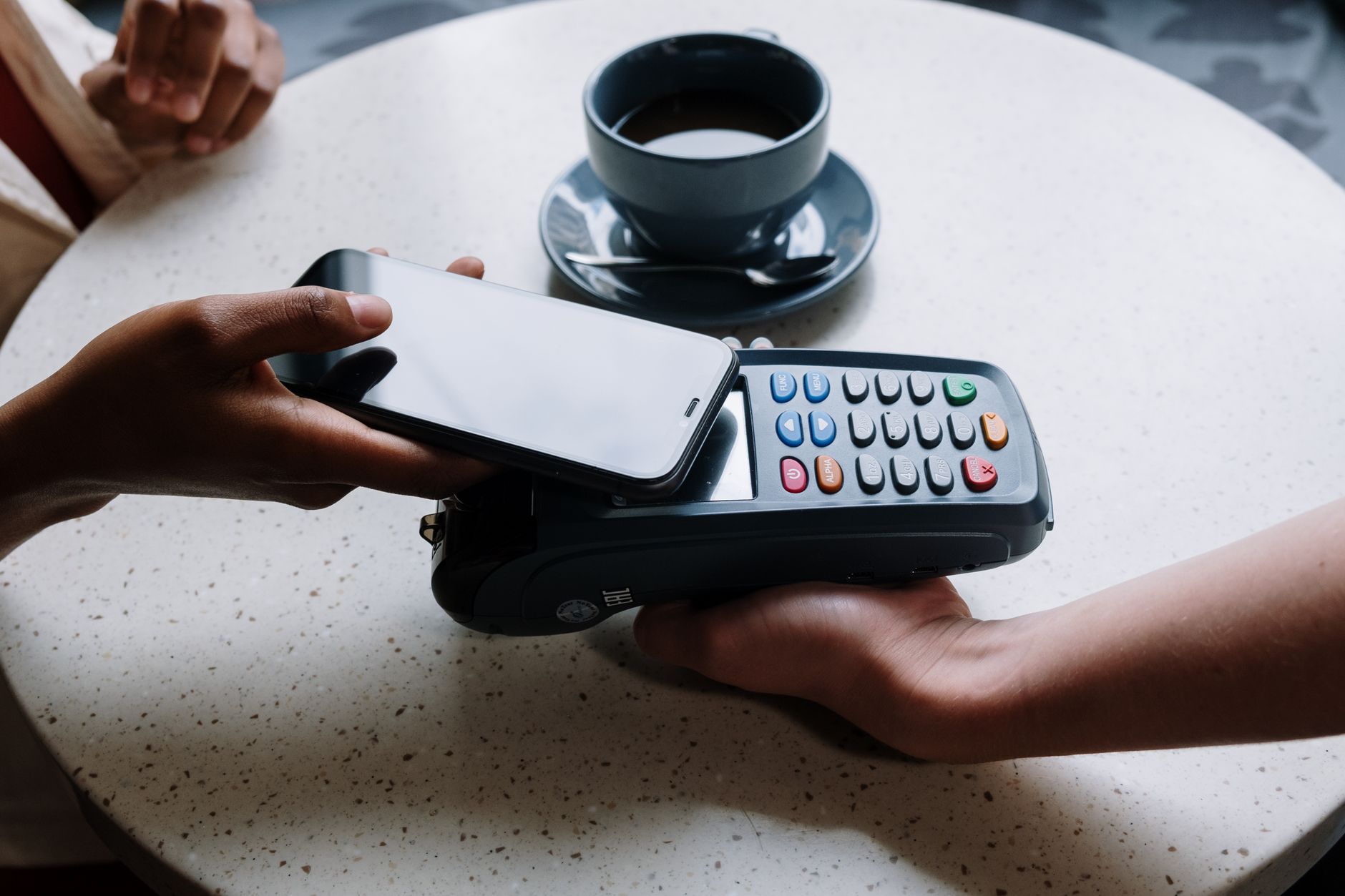
A dot-style card makes it possible to share your details with a tap instead of fumbling for paper. With a small NFC or QR‑enabled card, sticker, or accessory, you can pull up your digital profile on someone’s screen in seconds—no typing, no app required. You tap their phone or let them scan a code, and your information opens right in their browser.
Dot Business Card: The Smart, Contactless Way to Share Details 2026
Uses NFC and QR technology so people can tap or scan to open your digital profile instantly. Lets you update your contact info online once, instead of reprinting paper cards. Offers a more sustainable way to share details at conferences, job sites, and client meetings.
What These NFC and QR-Enabled “Dot” Cards Actually Are
At their core, these are small NFC or QR‑enabled devices—often a plastic or metal card, phone sticker, or badge—that store a digital contact profile and share it with a tap or scan. Instead of handing over paper, you place the NFC tag close to someone’s phone or let them scan the printed QR code, and your profile opens in their browser.
How the Technology Works in Practice
Most modern smartphones can read NFC and QR codes without installing an app. When someone taps or scans your card:
- The NFC chip or QR code triggers a URL.
- Their phone opens a mobile page with your details.
- They can save your info to contacts or follow your links.
According to guidance from BizCard AI, activation usually looks like this:
- Tap the card to your own phone.
- Open the link that pops up.
- Log in or create a profile with your basic details.
- Edit that profile anytime; changes sync instantly to the hardware.
What People Actually See
A typical profile acts like a compact personal landing page:
| Info Type | Examples |
|---|---|
| Core contact | Name, phone, email |
| Professional | Job title, company, services |
| Web & social | Website, LinkedIn, Instagram, etc. |
Because the hardware simply points to that page, you can keep using the same physical device while your details, branding, and links evolve over time.
How Dot Cards Are Used in Real-World Networking and Events
You feel the impact of this kind of card most clearly when you’re face‑to‑face—at conferences, trade shows, client meetings, and even casual meetups—because it keeps the hand‑off of your details quick and smooth.
At Conferences and Trade Shows
In crowded expo halls, you can:
- Tap someone’s phone once and move on, instead of digging for paper cards.
- Direct people straight to a profile that highlights your offer.
- Reuse the same card all week, even if your role or promo changes between days.
Attendees on Reddit have noted that “a ton of people had the dot business card” at professional conferences, which shows how common these reusable options are becoming compared with one‑time paper cards.
In Client Meetings and Sales Calls
During one‑on‑one or small‑group meetings, you can:
- Open your profile in the client’s browser so your number and email save with a couple of taps.
- Reduce spelling errors and mis‑typed phone numbers.
A contractor in another Reddit discussion described prospects scanning the card and having everything land in their phone, which is the type of low‑friction interaction many sales teams aim for.
Team and Multi‑Day Event Use
For teams working a booth or rotating through meetings, you can:
| Scenario | How You Might Use It |
|---|---|
| Rotating staff at a booth | Share one branded card that routes to a shared profile |
| VIP events | Use metal cards for a more premium first impression |
Because these cards tie into a digital profile rather than static print, they stay useful across multi‑day events, role changes, and repeat client visits—without needing a reprint.
Pricing, Plans, and Form Factors for Dot’s NFC Cards and Accessories
Dot’s pricing is built around a one‑time purchase for hardware plus optional subscriptions if you want additional features.
What you can expect to pay
Independent comparisons report:
- Entry hardware starts around $20–$30 per unit for a basic NFC card, with bulk discounts for teams.
- A one‑time purchase at the lower end is enough for simple tap‑to‑share networking.
- Analytics, contact export, and branding removal are available in a paid monthly Plus‑style plan reported at about $15/month.
Coupon‑tracking sources note that Dot runs campaigns throughout the year, with dozens of active offers at a time and headline discounts up to 30% off selected purchases.
Choosing a form factor
A comparison of NFC business card brands highlights Dot’s focus on hardware variety and durability, with several physical styles:
- PVC cards for everyday use
- Metal cards for a more premium, heavy‑duty feel
- Other small NFC accessories (like tags or stickers) that you can attach to your phone or badge holder
Here’s how the trade‑offs often look:
| Form factor | Typical use case | Cost tendency |
|---|---|---|
| PVC card | General, high‑volume use | Lower |
| Metal card | Premium, client‑facing | Higher |
These options let you match the look, price, and durability of your setup to how—and how often—you share your profile.
Eco-Friendly, Updateable Alternatives to Traditional Paper Business Cards
Digital cards give you a way to keep networking without going through stacks of paper. Instead of reprinting every time your role, phone number, or branding changes, you update a profile and keep using the same NFC or QR‑enabled card.
How Digital Cards Cut Waste and Clutter
When you move to a reusable card, you:
- Avoid repeated print runs and their associated shipping
- Reduce the number of cards that get discarded after a single meeting
- Carry one slim card or sticker instead of boxes of paper
Because all the details live online, you log in and edit your profile, and anyone who scans your card will see the latest version.
Cost and Sustainability Over Time
You pay once for the physical piece, then reuse it while your digital business card evolves. Guides to contactless networking highlight long‑term savings and lower material use compared with traditional print runs.
| Approach | Physical Use | How You Update Info |
|---|---|---|
| Paper business card | Reprinted each change | Order a new batch |
| NFC/QR digital card | Reused for extended periods | Edit your online profile |
The Term “DOT Business Card” in Government and Organizational Contexts
When you hear “DOT business card” in a government or institutional setting, you’re often dealing with something different from commercial NFC or QR tools.
How Agencies Use the Term “DOT Business Card”
In U.S. federal contexts, “DOT” usually refers to the Department of Transportation. For example, an internal FAA directive (ND 1730‑8, May 2026) instructs staff that “all references to the DOT business card will be deleted,” showing that the phrase has appeared as an internal label for an official Department of Transportation–related card rather than specifically for a commercial contactless networking product. You might see similar phrasing in:
- Internal communications policies
- Identity, branding, or stationery standards
- Forms describing what information must appear on an official card
In these cases, “business card” is about agency identity and compliance, which may or may not involve tap‑to‑share technology.
Avoiding Confusion in Your Own Organization
If you work with public agencies, contractors, or regulated industries, it helps to be precise:
| What’s Meant | Better Term to Use |
|---|---|
| Official card for DOT staff | “U.S. DOT employee business card” |
| Modern NFC / QR contact card | “Digital business card” or “NFC business card” |
When you’re proposing contactless solutions to a department or a prime contractor, spell out that you’re talking about a digital, NFC‑enabled card rather than an internal “DOT business card” requirement tied to government branding rules.

Frequently Asked Questions
How does a Dot-style card actually behave on different phones in real life?
You tap the card or accessory to the other person’s phone and, when NFC is supported and positioned correctly, their browser opens to your profile. If their device doesn’t support tap, they can scan the QR code instead to reach the same page.
Can you keep using your profile if you swap phones or lose the physical card?
Yes, your profile is tied to your online account, not to any one phone. If you change devices or replace the physical card, you access or reconnect the same profile.
What’s the main difference between using an NFC card and just sharing a LinkedIn or social link?
A dedicated NFC/QR business card is optimized for quick, in‑person exchanges, so someone can get all your key details in one tap or scan instead of hunting through multiple links.
How do these cards fit into a team or company setup?
Teams often buy multiple NFC cards or accessories so every member has a consistent, branded way to share their details. Because profiles are digital, you can standardize what appears across the team while still letting each person personalize their own information.
What should you know about the term “DOT business card” outside the networking-product world?
In some government and organizational documents, “DOT business card” has referred to an internal, Department of Transportation–related concept that may be separate from commercial NFC business card providers. When you see the phrase in official directives, it’s usually about internal policy language rather than a specific tap‑to‑share contact card brand.
Conclusion
By switching to a tap‑and‑scan card, you give people a fast way to save your details without typing, stacks of paper, or constant reprints. You can update your profile whenever your role, number, or links change, and those edits sync to your card right away. NFC and QR together also make it easier for almost anyone you meet to connect with you on the spot.
Sources
— END —